The following is an Excel Spreadsheet utility that does not work with open office or the free excel viewer (yet). But if you have Excel it should work for you. (Excel sells for around $100 I believe.)
Fish Tycoon Breeder:
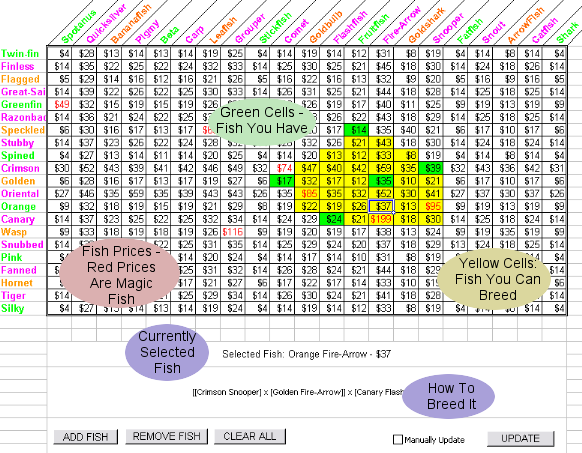
Basically,
1 - click CLEAR ALL to start fresh
2 - click a cell of a fish you have
3 - click the ADD FISH button
4 - repeat 2 and 3
5 - you can use REMOVE FISH if you make a mistake
6 - when you are done, click different yellow cells (fish you can breed) and in the big box at the bottom it will tell you how to breed them using the fish you have
if you have a slow computer, before you start, click the checkbox for manual updating. ADD all your fish first (nothing will turn yellow), then after all your fish are in, click UPDATE and go have dinner. it should be done when you get back.


 Previous Topic
 Index
Index


