(this is a peek at an advance copy of the beta version of plant tycoon grids.)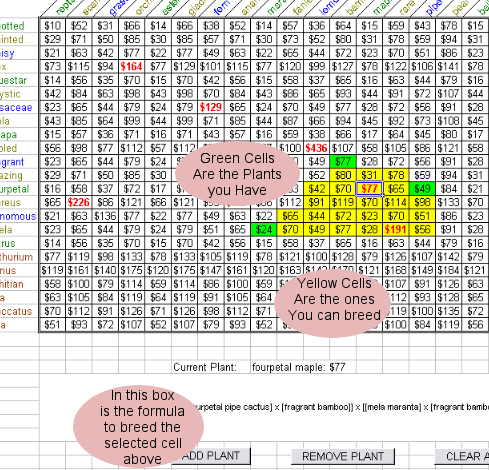 How it works:
step 1) press
Clear All button
step 2) use mouse or cursor keys to select a cell on the grid of a plant you have
step 3) press
Add Plant button. selected cell turns green which means you have that plant.
step 3a) use
Remove Plant if you make a mistake
step 4) repeat steps (2) and (3) for all the plants you have
step 5)
save worksheet so you don't have to start from scratch next time
use mouse or cursor keys to select yellow cells (these are plants you don't have but could breed from the plants you have). in the big box at the bottom will be instructions how to breed the plant the most efficient way, based on the plants you own.
note: if you have a fast computer and your plants are all close to each other on the grid, this utility is quite fast (seconds). if you have a slow computer and your plants are on opposite edges of the grid, it could take anywhere from 30 minutes to overnight to complete. so if you have a lot of plants all over the map, and see the hourglass symbol, and it does not go away, the program is not stuck. go have dinner or go to bed, and with luck it will be done when you get back.


 Previous Topic
 Index
Index


