Virtual Villagers Tips & Tricks, Walkthroughs, Guides, Hints and HelpLast Day of Work Official Forums: Virtual Families, Virtual Villagers, Fish Tycoon
After messing with the previews images for PT, I made up this really cool mod. It was hard work but I eventually did it, go ahead and download it, if you don't, then you are truly missing out.
Backing up your original images: Go to My programs\Virtual Villagers 2 (name MAY be different)\Images. Copy the folder to somewhere safe. And rename this 'backup Images' or of your choice.
Using this mod: To install this mod, just extract all the files into program files\Virtual Villagers 2 (Name might be different)\images. That's it let it extract... And start the game up!
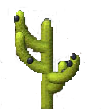
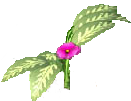
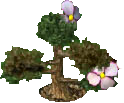
Extras: And for a special treat, if you liked these images used for the plants, and are not as good as cutting/copying (whatever you call it) then you can use these few quick ones. Make sure your Internet supports transparency!
Plants:
Holes/muck
Mini-tools:
I might add more things to this list in an hour or so... The main point is, you just enjoy the mod! LOL.
*Credit to kittenangel2001 for uploading this mod in her kindness.















 Previous Topic
 Index
Index
