Virtual Villagers Tips & Tricks, Walkthroughs, Guides, Hints and Help Last Day of Work Official Forums: Virtual Families, Virtual Villagers, Fish Tycoon
Facebook
Who's Online
0 registered (), 581 Guests and 2 Spiders online.
Key: Admin, Global Mod, Mod
Recent Posts
Cannot get Red Masks to leave Rainbow Totem
by MissKathy
01/10/26 02:40 AM
LDW Links
LDW
Virtual Families
Virtual Villagers
Fish Tycoon
Plant Tycoon
Newest Members
BillCrimbers, eunrae :3, Quiet-Tumbleweed, Berniemike, adelleinternal44
30761 Registered Users
Forum Stats
30761 Members
78 Forums
19414 Topics
187023 Posts

Max Online: 2435 @ 12/29/25 09:52 AM
Page 2 of 3 < 1 2 3 >
Topic Options
#65472 - 03/14/07 05:49 PM Re: Made an avatar... [Re: AtarahPern]
Treen Offline
Adviser

Registered: 02/22/07
Posts: 87
Loc: London, England
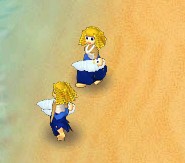
Hey, great. I logged out and then back in again and my avatar had successfully changed. These two little ones are not twins, two years apart, and of completely different parents. They are so cute.
_________________________
I'm here when I wanna be here, elsewhere at other times \:\)

Top
#66201 - 03/18/07 03:08 AM Re: Made an avatar... [Re: Treen]
jlb67 Offline
Expert

Registered: 03/01/07
Posts: 152
Loc: Bristol, UK.
I've tried uploading pics to use for my avatar from my own pics off my comp, but they are always to big it says.. I have cropped etc but can not get it to upload?????? I see alot off really nice avatars on here but cant seem to get one myself. I just use the one that is provided here. where do you get them from??
_________________________
My granddaughters are one of the precious things in my life & the other are my grandsons.

Top
#66203 - 03/18/07 03:15 AM Re: Made an avatar... [Re: jlb67]
LadyCFII Administrator Offline
Unicorn

Registered: 10/07/04
Posts: 17515
Loc: Colorado
I made my own. You need to make sure that it's no larger than 80 pixels by 80 pixels, and doesn't exceed 100K in filesize. Then you can upload it (although you might have to log off and back on for it to take effect and be displayed in your profile).
_________________________
Barbara
Unicorn
Last Day of Work

Top
#66214 - 03/18/07 04:07 AM Re: Made an avatar... [Re: jlb67]
Borg Offline
Brilliant Programmer

Registered: 01/27/07
Posts: 678
Loc: Maryland, USA
How to shrink your pictures with what you already have

If you have a PC, you can use MS Paint (that comes with all versions of Windows) to shrink your picture so it is the right size.

-Open MS Paint (START > Programs > Accessories > Paint)
-Control-O to open the picture you have that is too large
-Control E, set units to pixels, and write down width & height
-divide width and height by 80, remember the larger result.
-Control-W to shrink it. For Horizontal and Vertical, put in
    the result you got in the last step

Don't Overwrite Original File

-when you save your file with File > SaveAs, pick jpg. Do not overwrite original file - if the original file is DogAvatar.jpg, name your file DogAvatar2.jpg so that if you screw everything up the first time, you have not lost your original file and can try again. \:\)

Other Solutions

Note there are also other programs besides MS Paint that can shrink images as well as do fancy editing tricks with them. The best program in this class is called Photoshop, but it is rather expensive. I use a free editor called "the Gimp" which is not as good as Photoshop, but better than MS Paint. There are lots of image editors out there such as PaintShopPro, Macromedia Fireworks, and more. Everyone has a favorite.

Quote:
Henry Ford used to have a sign on his desk that said: "Think You Can. Think You Can't. Either Way, You're Right."
Mr. Ford was a pretty smart fellow. Don't be afraid to try new things. Good Luck! \:\)

Top
#66236 - 03/18/07 05:58 AM Re: Made an avatar... [Re: Borg]
Nemyar Offline
Forum Games Enthusiast

Registered: 07/14/06
Posts: 768
I really need to update my VV avatar

Top
#66520 - 03/19/07 11:15 PM Re: Made an avatar... [Re: Nemyar]
jlb67 Offline
Expert

Registered: 03/01/07
Posts: 152
Loc: Bristol, UK.
Thanks LadyCFII & Borg, i will try what you both have said, i hope to have some pics of my own soon. How soon is another question???? Thank you both again....
_________________________
My granddaughters are one of the precious things in my life & the other are my grandsons.

Top
#67909 - 03/30/07 01:39 AM Re: Made an avatar... [Re: jlb67]
jlb67 Offline
Expert

Registered: 03/01/07
Posts: 152
Loc: Bristol, UK.
As you can see i done it, i copied placed in paint made smaller to get this one. Will try shrink way when i feel i might do it right. Thanks for the replys Barbara & Borg, your help is appreciated alot. Jane
_________________________
My granddaughters are one of the precious things in my life & the other are my grandsons.

Top
#67910 - 03/30/07 01:45 AM Re: Made an avatar... [Re: jlb67]
jlb67 Offline
Expert

Registered: 03/01/07
Posts: 152
Loc: Bristol, UK.
Here are a few more i done. Hope i've added them right.


Attachments
1491-4Purple.Blueflowers.Av.JPG

1492-5VVTheLostChildrenlogo.Av.JPG

1493-8SpiritualityTree.Av.JPG


_________________________
My granddaughters are one of the precious things in my life & the other are my grandsons.

Top
#67934 - 03/30/07 07:11 AM Re: Made an avatar... [Re: jlb67]
Terina Offline
Master

Registered: 01/05/07
Posts: 488
Loc: BC Canada
Originally Posted By: jlb67
As you can see i done it, i copied placed in paint made smaller to get this one. Will try shrink way when i feel i might do it right. Thanks for the replys Barbara & Borg, your help is appreciated alot. Jane


Well done its a very nice one, if any one has photoshop, that is the program i use, and if you need help getting things cropped, pasted, resized, and converted, Pm me and i will absolutely help ya. \:D

Top
#67956 - 03/30/07 11:09 AM Re: Made an avatar... [Re: Terina]
arnie Offline
Master of Meditation

Registered: 09/13/06
Posts: 4896
Loc: London, UK
I edit photographs on my computer quite often and use both Photoshop and Corel Paint Shop Pro. However, for cropping pictures to upload to the forum and to use as avatars I tend to use Irfanview, from this site.

It loads in a fraction of a second and although it can't do advanced things like adding text, as Nemyar and Terina have done, it is easy to use and - importantly - it is free!
_________________________
To err is human; to arr is pirate.

Top
Page 2 of 3 < 1 2 3 >


Moderator:  MissKathy, Rockmower 
Smileys
Arthur on Twitter